How it works
Walk below deck to the Room Build prompt near a door. A blue blueprint style panel opens at the top left. Pick a tab: Rooms, Essential, Furniture, Decoration or Inventory. Click an item icon to spawn a green hologram ghost, move it, and press Build to place it. When placed, the hologram turns solid.
Adding rooms
At a doorway, pick a room piece from Rooms. A transparent room preview appears outside the hull with Build, Cancel and Delete buttons. The header shows the room count, for example [SLOOP-ROOM] [7/12], and the count rises as you build. 12 was the maximum shown for the Sloop.
Controls
The item grid shows 10 icons per page in 2 rows of 5. A search field finds items by name. You can drag the ghost, use the Rotate and Drag toggle, the WORLD toggle and the Scale value. Rotation follows your character's facing direction, so keep your character straight. Placed crates show Storage and Edit buttons.
What you can build
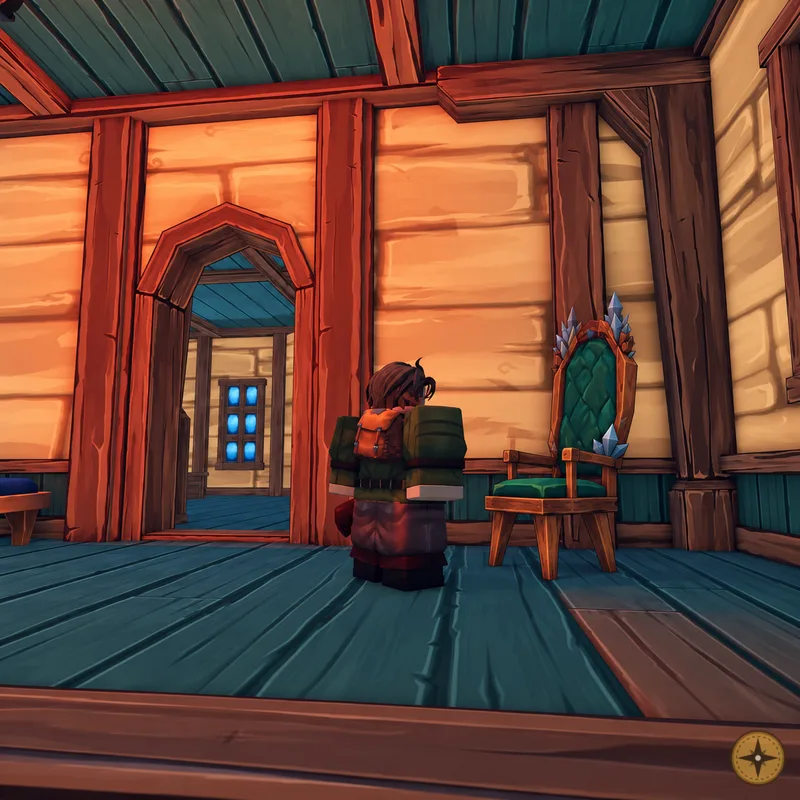
The shown items include chests, a throne, a chaise, an armchair, a rug, a cow pen with a live cow, barrels, plants, a chandelier, a farm room and a blacksmith room. The finished interior shown had about six rooms and two floors. The interior takes the colour you customize your ship with.
Bed spawn
A developer said to always build a bed so you spawn inside your ship if it is not destroyed.